
Context Strip
The context strip is the row above the message box that shows exactly what notes the agent can see. You decide what goes in it, and your choices stay put — even as you click around your vault.
Why it exists
Without the context strip, the agent's context follows whatever note you happen to have open. Click into a different note mid-conversation and the agent quietly starts answering about that note instead. The context strip fixes this: context is something you pin to the chat, not something that changes under you.
How it works
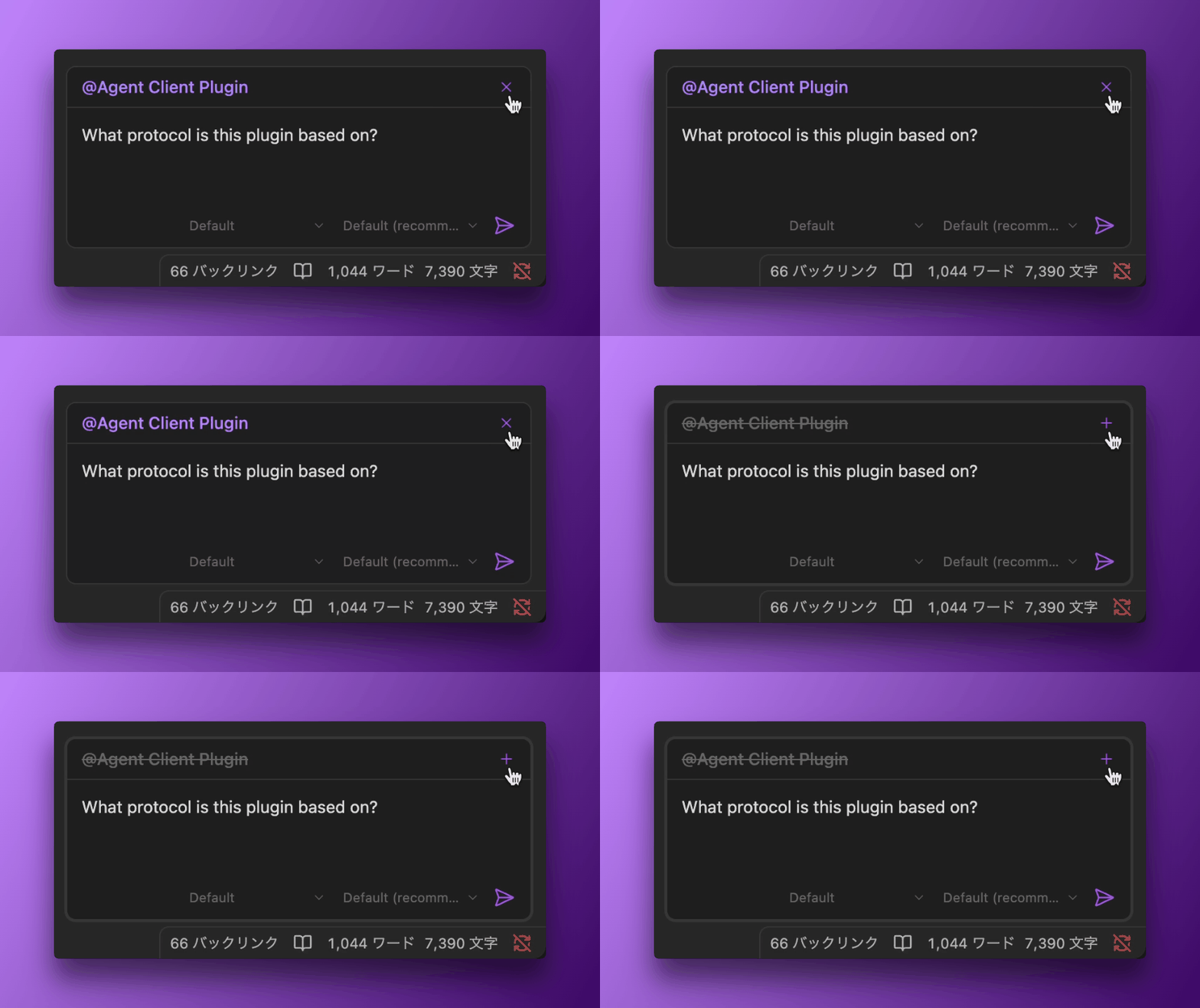
Each note in context shows as a pill in the strip. There are two kinds:
- Pinned pill (solid): a note you've pinned to this chat. It stays until you remove it.
- Provisional pill (dashed): the note you currently have open, riding along as a suggestion. It becomes part of the conversation only when you send your first message.
When you send a message, any provisional pill pins and becomes a pinned pill. From then on, the chat keeps that context no matter which note you open next.
Pinning and removing notes
- Grab the active note: click the grab button in the strip, or run the "Toggle active note in context" command (bind it to a hotkey for one-key pinning). Running it again ungrabs the note.
- Add more notes:
@mentionthem in your message — mentioned notes pin into pills when you send. - Remove a note: click the ✕ on its pill, or focus a pill (Tab to it) and press Backspace or Delete to remove it.
Default context
On a fresh chat, the note you have open is offered as a provisional pill automatically. Prefer to start every chat with an empty strip and pin notes by hand? Turn this off under Settings → Agent Console → Chat behavior → "Active note as default context".
Context survives restarts
The notes you've pinned are saved with the chat session. Quit and reopen Obsidian, and each restored tab comes back with its context intact.
Long notes and selections
When a pinned note or a selected passage is very long, Agent Console sends a truncated preview (up to 10,000 characters) plus a link back to the full note, so the agent can read the rest on demand. This is automatic — you don't need to manage it.
Context strip vs context files
The context strip is a plugin feature — per-chat notes you pin in the moment. Context files (CLAUDE.md, AGENTS.md, GEMINI.md) are an agent feature — standing instructions the agent reads at the start of every session. Use the strip for "look at these notes for this conversation"; use context files for "always remember this."
See also
- Note Mentions —
@-mention notes inline in a message - Tabbed Sessions — each tab keeps its own context
- Context Files — agent-level standing context