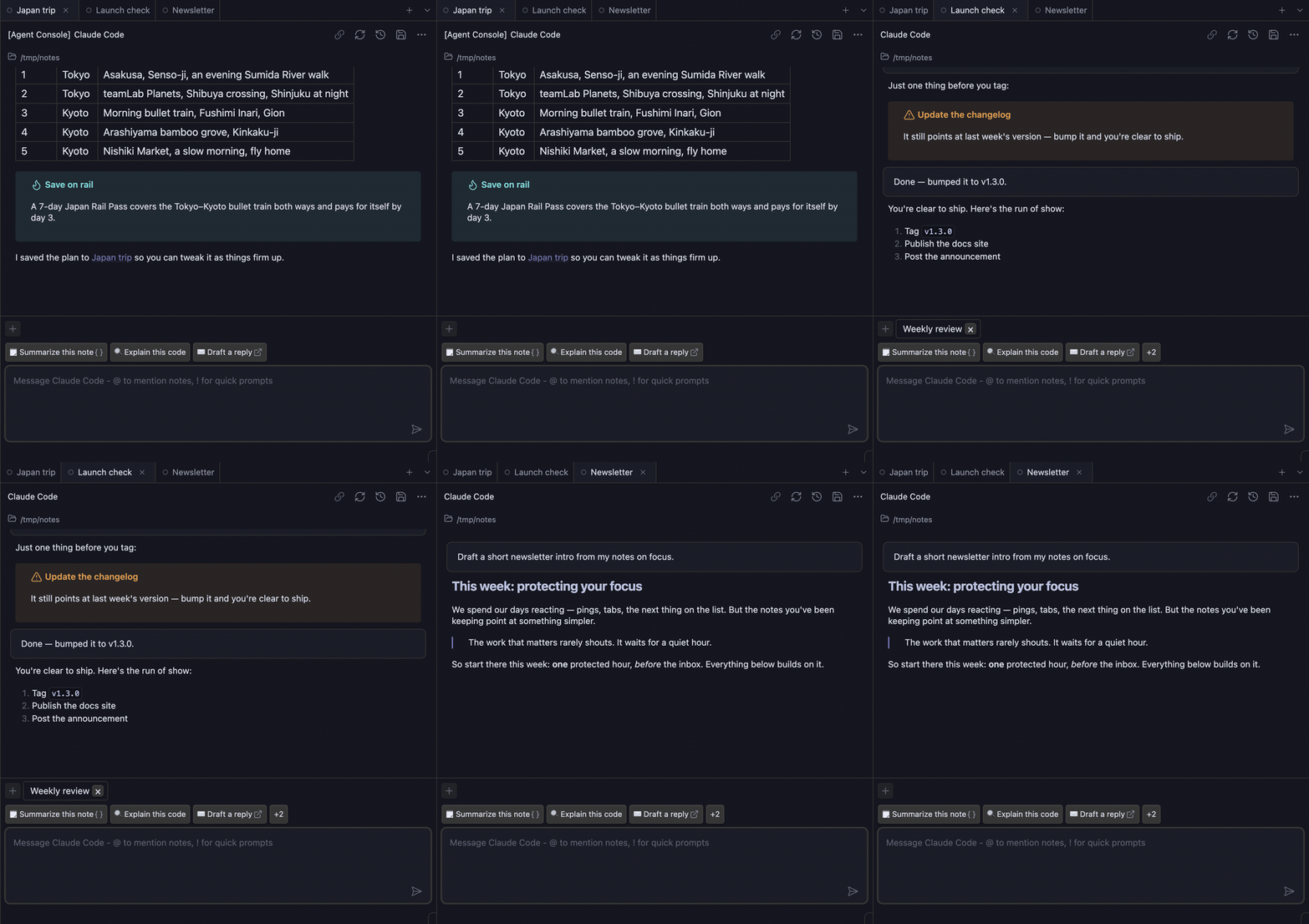
Agent Console was built start to finish this way – the plugin is its own proof.
What is Agent Console?
Agent Console is an Obsidian plugin built on the Agent Client Protocol (ACP). It brings AI agents into your vault, where your notes live. Instead of starting from a blank chat, an agent draws on the notes you've already written – and writes new ones back – so it works from your own knowledge whether you're researching, drafting, planning, or vibe-coding. Run several at once in a tabbed sidebar, so you can keep working while agents work.
Agent Console is based on Agent Client by @RAIT-09, originally released under Apache-2.0. See NOTICE for full attribution.
Supported Agents
What you can do
- Turn a rough outline into a finished draft – open a note, start a chat, and ask the agent to expand your bullet points into prose.
- Interrogate your own vault – ask about the note you're in; the agent reads it as context and answers in place.
- Vibe-code a script or tool – describe what you want, get working code back, and review the diff.
- Keep a working log – let an agent capture decisions and action items as you talk a problem through.
- Run parallel trains of thought – keep one tab digging into research while another drafts the summary.
- Line up your next message while the agent works – type your follow-up and press Enter; it queues and sends the moment the current reply finishes, so you never wait on the cursor.
- Redirect the agent the moment it goes sideways – one keypress stops the current reply and sends your correction instead, without losing the conversation.
- Fire a saved prompt in one click – keep your recurring kickoffs as notes and launch them from context-aware chips above the composer, or a quick
! search right in the message box.
Why parallel?
AI agents work asynchronously. Tell one to research, another to draft a section, a third to fix a script. Switch tabs while they work. Status icons show what each agent is doing – ready, busy, waiting on you, or stuck. Stop the context-switch tax of waiting for one agent before starting the next.
The mental model: tell agents what work to do, not how to do it. With the right skills, agents figure out the steps. You stay focused on the work itself, with several streams progressing at once.
Ready to get started? Check out the Installation Guide.