
Custom Agents Setup
You can use any agent that implements the Agent Client Protocol (ACP).
Install and Configure
- Install your ACP-compatible agent (e.g., Qwen Code).
TIP
OpenCode is now a built-in agent — you don't need to add it as a custom agent. See its setup page.
Open Settings → Agent Console and scroll to the Custom Agents section. On Obsidian 1.13+, each custom agent opens as its own page; on older versions it expands in place.
Click Add custom agent.
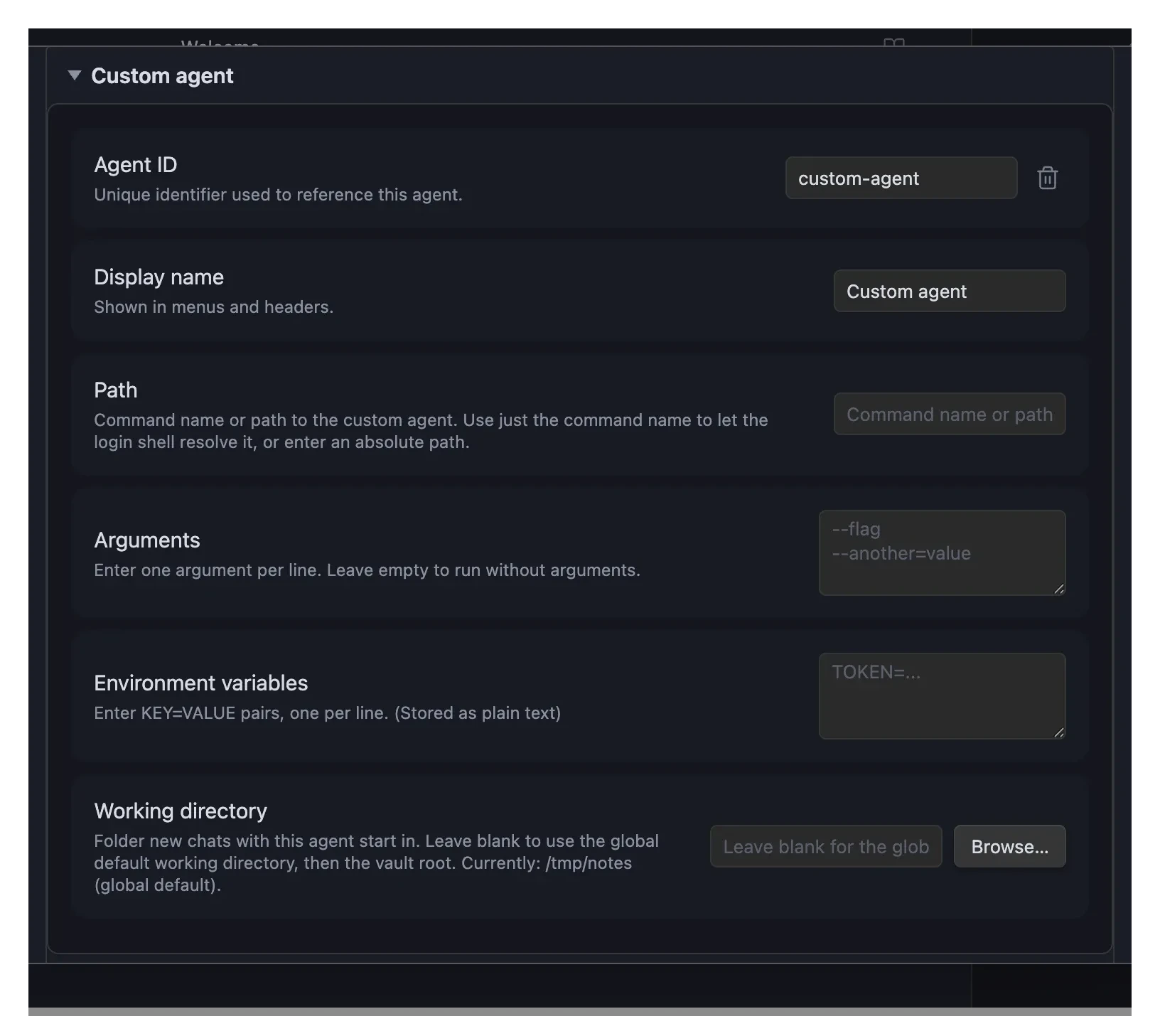
Configure the agent:
- Agent ID: Unique identifier (e.g.,
my-agent). Must be unique — if you enter an ID already used by another agent (including a built-in likekiro-cli), it's automatically given a numbered suffix (e.g.,kiro-cli-2) when you leave the field, and a notice tells you it was changed. - Display name: Name shown in menus (e.g.,
My Agent) - Path: Command name or absolute path to the agent executable. The command name alone (e.g.,
qwen) works in many cases. If the agent is not found automatically, set the full path, or click Auto-detect. - Arguments: Command-line arguments, separated by spaces or new lines — quote any argument that contains a space (if required)
- Environment variables:
KEY=VALUEpairs, one per line (if required)
- Agent ID: Unique identifier (e.g.,
Configuration Examples
Qwen Code
| Field | Value |
|---|---|
| Agent ID | qwen-code |
| Display name | Qwen Code |
| Path | qwen |
| Arguments | --experimental-acp |
| Environment variables | (optional) |
Authentication
Authentication depends on the specific agent. Common patterns:
- API Key: Add to Environment variables (e.g.,
MY_API_KEY=xxx) - Account Login: Run the agent's CLI to authenticate, then leave environment variables empty
Refer to your agent's documentation for specific authentication instructions.
Verify Setup
- Click the robot icon in the ribbon or use the command palette: "Open chat"
- Select your custom agent from the agent dropdown in the chat header
- Try sending a message to verify the connection
Having issues? See Troubleshooting.