
Commands & Hotkeys
All commands available in Agent Console. Open the command palette (Cmd/Ctrl + P) to access them, or assign keyboard shortcuts in Settings → Hotkeys.
TIP
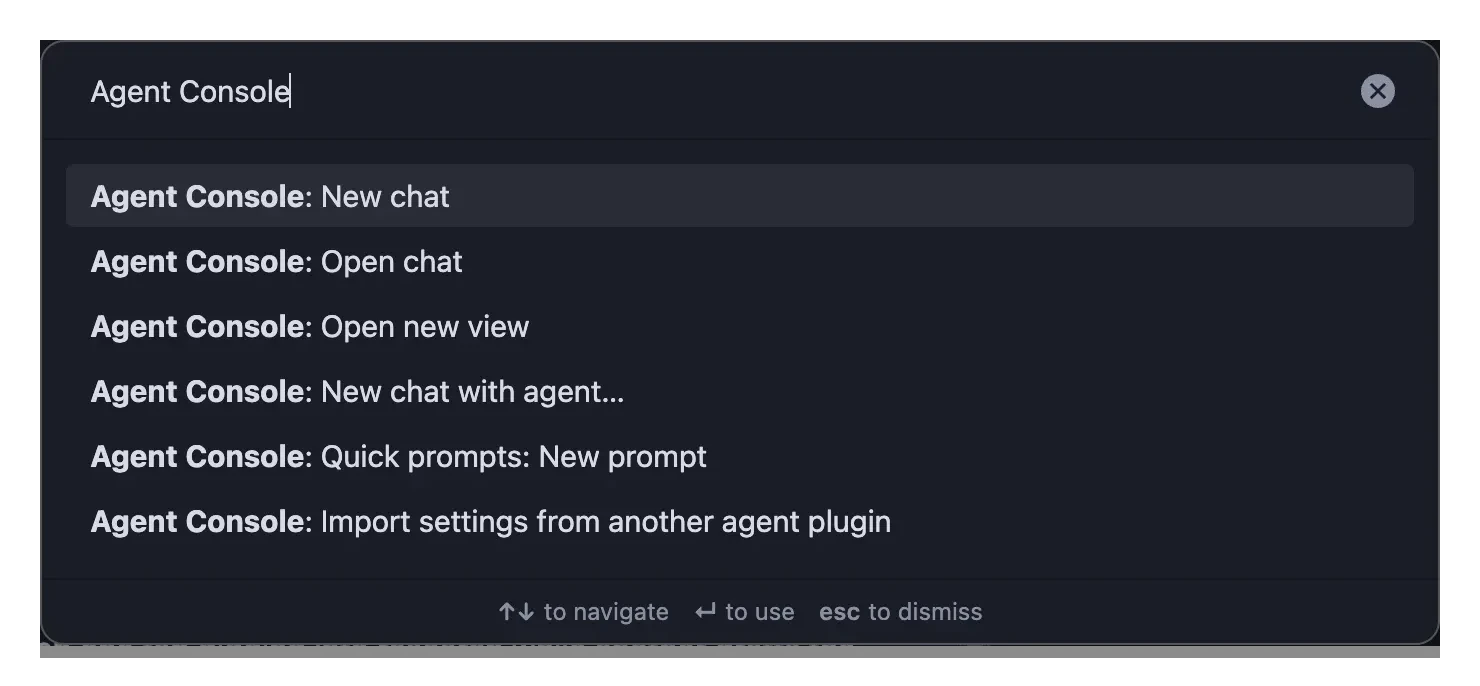
Most commands operate on the last focused chat view — click a chat view to focus it before running a command. The navigate, act-on-chat, and broadcast commands appear only once at least one chat view is open, so a fresh install's palette shows just the three start-a-chat commands below.
Start a chat
Always available, including from a cold start with no chat view open. New chat and New chat with agent… open a new tab — to clear and restart the conversation in the current tab instead, use Restart session (fresh).
| Command | Description |
|---|---|
| Open chat | Reveal the chat panel and put your cursor straight in the message box — bind this to a hotkey under Settings → Hotkeys to jump into the composer from anywhere, including while you're editing a note. If no panel is open, restore the tabs from the one you last closed (when Restore tabs on startup is on) so you pick up where you left off |
| Open new view | Open a fresh, empty chat panel — does not restore the last-closed tabs. The deliberate "clean slate" counterpart to Open chat. Also in the tab-bar ⌄ menu |
| New chat | Open a new tab with a fresh chat — opens a panel first if none is open |
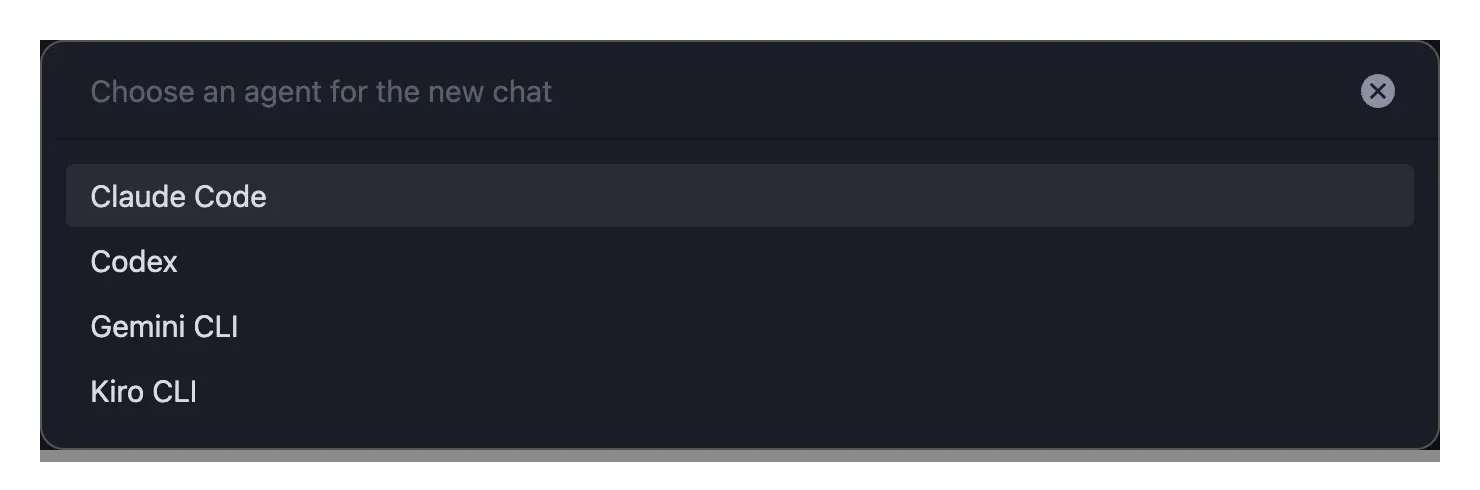
| New chat with agent… | Pick an agent from a list, then open a new tab with a fresh chat on it |
| Quick prompts: New prompt | Create a new quick prompt note (templated) and open it to edit — works even with no prompts yet |
Act on the current chat
These appear only when a chat view is open.
| Command | Description |
|---|---|
| Reload session | Reload the current session under a fresh harness, resuming the same conversation (agent process respawned, MCP servers reloaded) |
| Restart session (fresh) | Restart the agent and start a brand-new session (clears the transcript) |
| Re-authenticate MCP servers | List MCP servers waiting for sign-in — open the sign-in page or copy its link. When none are waiting, offers a session restart to trigger fresh sign-in prompts (see MCP Tools) |
| Cancel current message | Stop the agent's current response |
| Export chat | Export the current conversation to a note |
| Quick prompts: Search | Focus the composer and start a ! search of your quick prompts — type to filter, Enter to fire (⌘↵ new tab, ⌘⇧↵ switch, ⌥↵ insert — Ctrl/Alt/Shift on Windows/Linux). Also reachable by typing ! directly in the message box. |
| Quick prompts: Save composer as a prompt | Save the current message-box draft as a new quick prompt note and open it — your draft stays in the box |
| Toggle active note in context | Pin or unpin the active note in the context strip |
| Approve active permission | Approve the current permission request |
| Reject active permission | Reject the current permission request |
Navigate
These appear only when a chat view is open.
| Command | Description |
|---|---|
| Focus next chat view | Move focus to the next chat view |
| Focus previous chat view | Move focus to the previous chat view |
| Next session tab | Switch to the next tab in the active panel |
| Previous session tab | Switch to the previous tab in the active panel |
| Show tab list | Open the tab-bar ⌄ list — a one-glance view of every tab and its status (done ●, working ◐, waiting on you △, error ✕), including tabs scrolled out of sight. Bind a hotkey under Settings → Hotkeys to pop it without reaching for the mouse |
| Close session tab | Close the active tab |
| Reopen closed session tab | Reopen the most-recently-closed tab and restore its conversation — transcript, agent, label, and pinned context. Repeat to walk further back (browser-style Cmd+Shift+T). Closed tabs are remembered for the current session only |
| Open session history | Open the session history view to browse, search, restore, fork, rename, or delete past sessions. Bind a hotkey under Settings → Hotkeys to open it without reaching for the mouse |
Settings Commands
| Command | Description |
|---|---|
| Import settings from another agent plugin | Import agent definitions, defaults, and API keys from another plugin (e.g. Agent Client). Shows a preview first. See Importing Settings. |
Broadcast Commands
Control multiple tabs at once. These appear only when a chat view is open. See Tabbed Sessions for details.
| Command | Description |
|---|---|
| Broadcast prompt | Copy the active tab's input to all other tabs (every view) |
| Broadcast send | Send messages in all tabs simultaneously |
| Broadcast cancel | Cancel operations in all tabs |
Upgrading from an earlier version?
v1.2.0 simplified the start-a-chat commands. Open new chat view, New session tab, and the per-agent Switch agent to [Agent] commands were removed — use New chat and New chat with agent… instead. If you had hotkeys bound to any of the removed commands, rebind them under Settings → Hotkeys.