
OpenCode Setup
OpenCode is an open-source, single-binary AI coding agent with built-in ACP support — no adapter needed. It's the easiest way to run Agent Console fully offline against a local model.
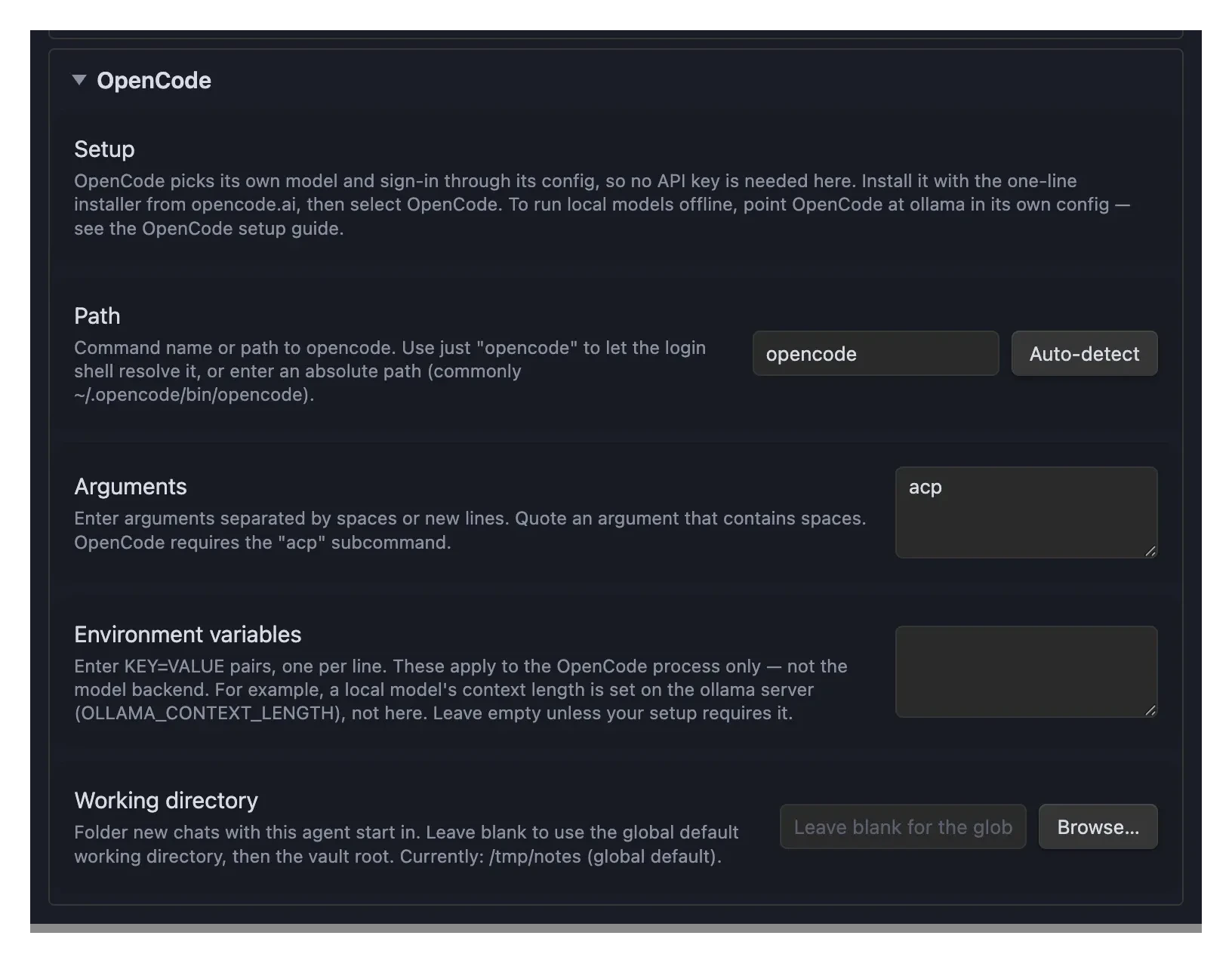
Install and Configure
- Install OpenCode with its one-line installer:
curl -fsSL https://opencode.ai/install | bash:: See opencode.ai for the current Windows install options- Find the installation path:
which opencode
# Example output: /Users/you/.opencode/bin/opencodewhere.exe opencodeOpen Settings → Agent Console. Switch to the OpenCode section.
Configure:
- Path:
opencode(works in many cases via login shell PATH; or set the full path from step 2, or click Auto-detect) - Arguments:
acp(set by default)
- Path:
Choose a model
Agent Console only launches OpenCode over ACP — it doesn't pick the model. OpenCode chooses its own model and sign-in through its config, so there's no API key field in the OpenCode section here.
Pick a model in OpenCode itself: run opencode once in a terminal, use the /connect command to add a provider, then /models to choose one. OpenCode supports cloud providers (Anthropic, OpenAI, and many others) as well as local models.
Run local models (offline) with ollama
OpenCode can talk to a local model server, so your chats never leave your machine. This is configured in OpenCode's own config file, not in Agent Console.
Install ollama and pull a model with a large context window and strong tool-calling (for example, a Qwen-Coder variant):
bashollama pull qwen2.5-coderAdd ollama as a provider in your OpenCode config at
~/.config/opencode/opencode.json:json{ "$schema": "https://opencode.ai/config.json", "provider": { "ollama": { "npm": "@ai-sdk/openai-compatible", "name": "Ollama (local)", "options": { "baseURL": "http://localhost:11434/v1" }, "models": { "qwen2.5-coder": { "name": "Qwen2.5 Coder (local)", "limit": { "context": 65536, "output": 8192 } } } } } }Run
opencode, then/models, and pick the local model.
TIP
Give the model plenty of context — agent and coding work wants a 64k+ window. Context length is set on the ollama server, not in Agent Console or OpenCode: ollama defaults to ~4k and ignores the value until you raise it at the server. On macOS run launchctl setenv OLLAMA_CONTEXT_LENGTH 65536 and restart Ollama (or add PARAMETER num_ctx 65536 to a Modelfile). The limit.context in opencode.json only tells OpenCode how much it may send — it can't raise the server's window.
INFO
Agent Console spawns opencode acp and speaks the protocol; the model backend lives entirely in OpenCode. That separation is deliberate — the plugin stays model-agnostic, so the same OpenCode setup works whether you point it at ollama, a cloud provider, or anything else OpenCode supports. Any environment variables you set in the OpenCode section apply to the OpenCode process only, not to the model backend — so a server-side setting like OLLAMA_CONTEXT_LENGTH belongs on the ollama server, not in that field.
Verify Setup
- Click the robot icon in the ribbon or use the command palette: "Open chat"
- Switch to OpenCode from the agent dropdown in the chat header
- Try sending a message to verify the connection
Having issues? See Troubleshooting.